Title here
Summary here
Where to find this
Team Assignment is accessed from the Tournament Details page by clicking the Assign Teams button in the left column. It is available during the Gather and Assign phases.
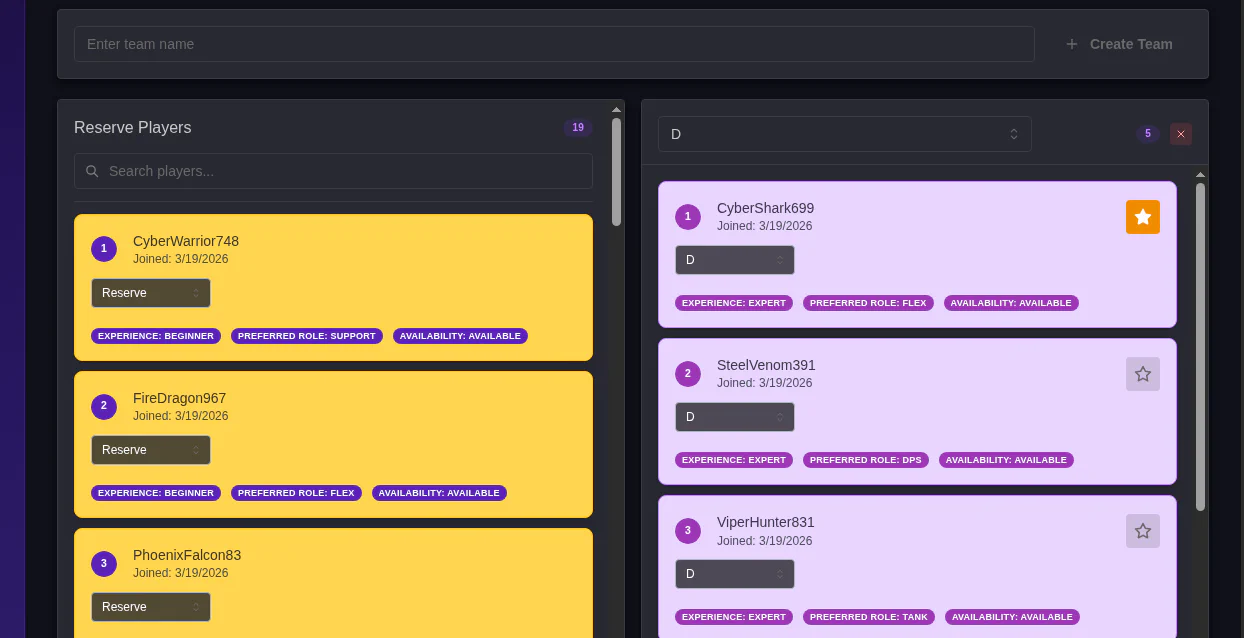
You can use the text box at the top to create teams.
Chose a team on the right and drag and drop cards to that team, or select teams from the dropdowns on the player cards.
Clicking the star on a player card makes that player the Team Capitan. In all matches they play in, the team capitan will become a match commander.
They will get map codes DMed to them, and are the players who can submit scores for their matches. (Coming in 0.7.3)