Title here
Summary here
Note
This optional feature requires cloud artificial intelligence models that cost money. I hope to add support for local models in the near future to remove the cost aspect.
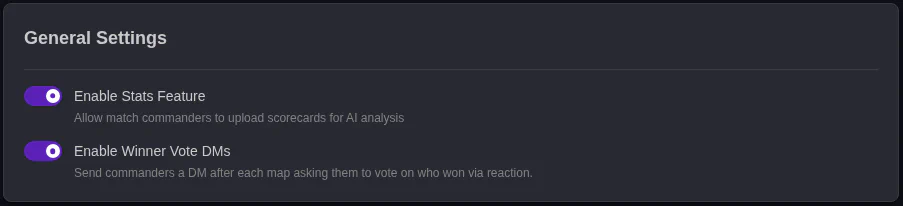
This is an overall global toggle for the stats feature. Turning this off will disable the stats system completely. Selecting who won a map is always enabled, reguardless of this setting.
Enabling this setting sends DMs to any player with the Match Commander role in the match. If both sides agree on who won, the scoring is automatically recorded and the match progresses to the next map.
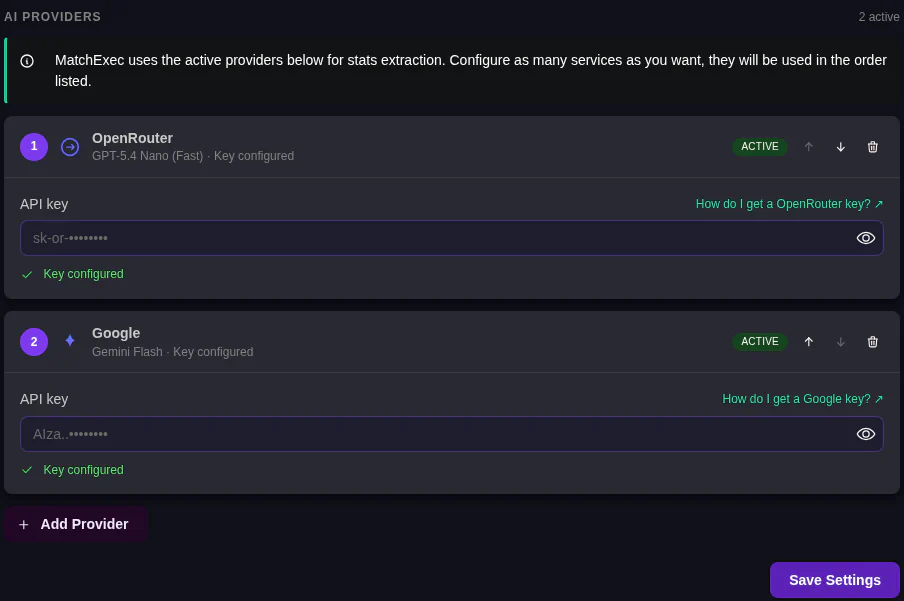
MatchExec allows you to use multiple providers. It will try the first in the list and move to the next if it does not get a valid response, or if the data is not correct. In these cases, the next model is used.
All of the models available have been testsed to work, but depending on image quality, colors, and sizing, some images are harder than others.
Note
Put cheaper to use models like OpenRouter,Gemini Flash, and Haiku higher in priority. This keeps costs down, while a confidence system ensures data is accurate.
Click the Add Provider button. You will then get this screen:
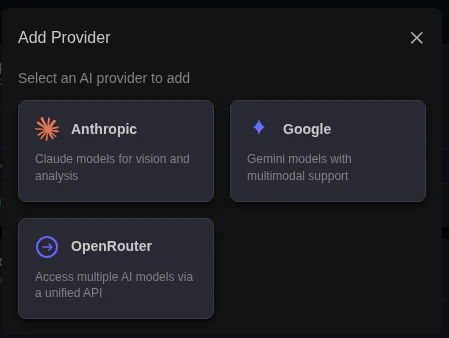
Select your provider of choice. Each provider requires its own API key, but this key is shared between all models from that provider that you use. For example if I select Anthropic, and then Sonnet, I can repeat the process and add Hiku without reentering my API key.